Writing tasks
Writing tasks allow you to assess your candidates' writing skills as part of their placement test.
A writing task presents candidates with a topic and asks them to write an essay. You can then review and grade their work directly within Linguapop.
Creating a writing task
You can create a writing task by clicking the Create button in the top-right corner of the Writing tasks screen.
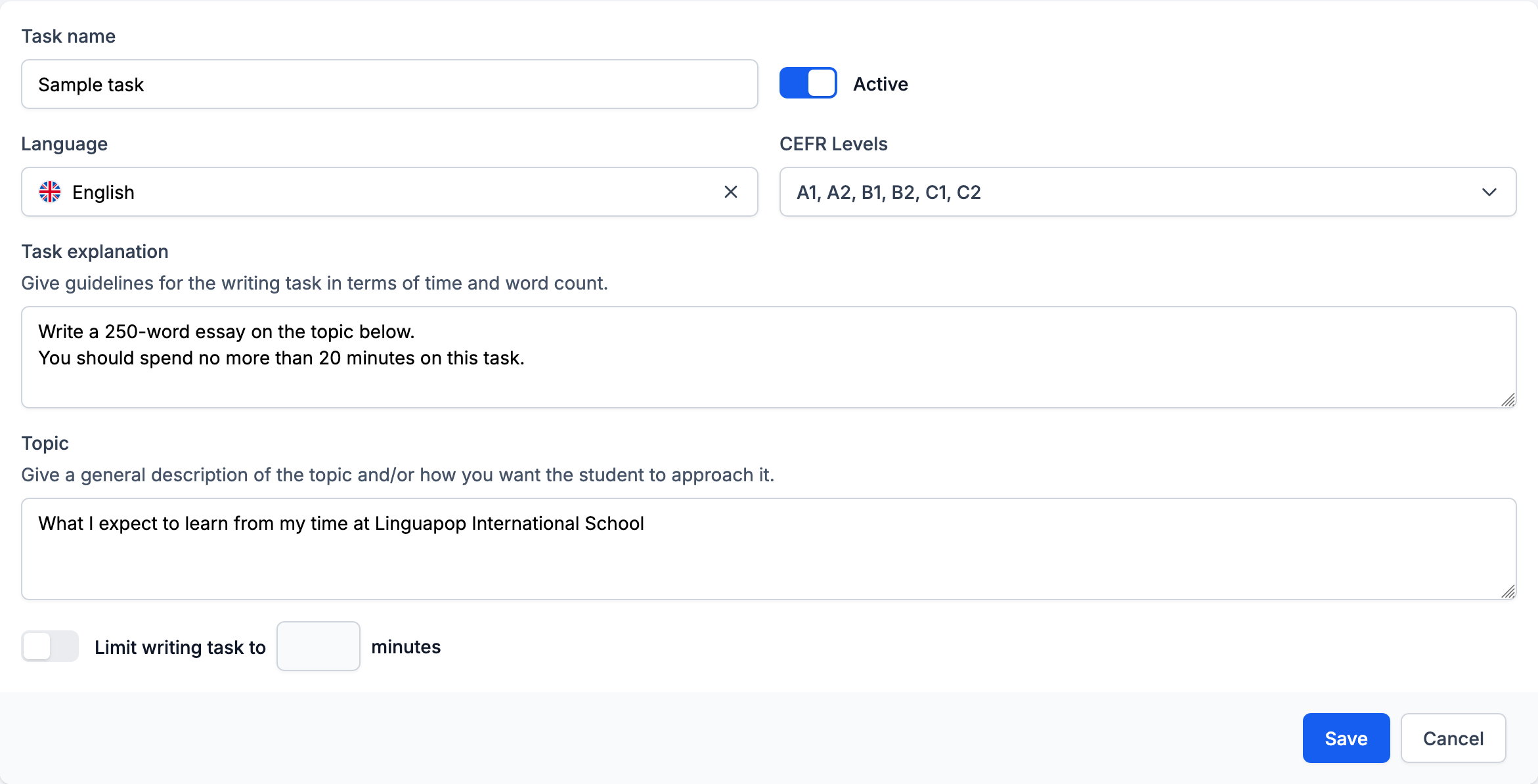
You must configure the following:
- Task name - An internal name used to identify the writing task. This is not shown to candidates.
- Active - A toggle that determines whether this writing task can be presented to candidates.
- Language - The language of the placement test this writing task applies to.
- CEFR Levels - The levels for which this writing task is appropriate. Candidates whose Use of Language score falls within one of these levels may receive this task.
- Task explanation - Guidelines shown to the candidate, typically including time and word count expectations.
- Topic - The essay topic or prompt that will be presented to the candidate.
You can optionally set a time limit for the writing task using the Limit writing task to ___ minutes toggle.
Clicking Save creates the writing task.
Managing writing tasks
When you click on Writing tasks in the sidebar, you are taken to a list of all writing tasks.
You can click on any writing task to open its details and edit it.
Use the Active toggle to control which writing tasks are currently presented to candidates. Only active writing tasks can be assigned to candidates.
When candidates receive a writing task
A candidate will be presented with a writing task if all of the following conditions are met:
- Writing tasks are enabled in the Customization screen
- An active writing task exists for the tested language
- The candidate's Use of Language score falls within one of the selected CEFR levels for an active writing task
If multiple writing tasks match these criteria, one is selected at random.
Writing tasks are presented after the candidate completes their Use of Language section, and optionally their Reading and Listening sections.
Reviewing writing tasks
Once a candidate completes their writing task, you can review it from within the placement test results.
You can:
- Select and label text - Highlight portions of the candidate's essay and add labels or comments
- Record notes - Add notes about the candidate's writing
- Assign a level - Grade the writing task with a CEFR level (A1-C2) and provide an explanation for your assessment
Notifications
When a candidate completes a placement test, you will receive two separate email notifications:
- Test completion email - Sent when the candidate finishes their Use of Language, Reading and Listening sections
- Writing task completion email - Sent when the candidate completes their writing task, with a direct link to review it
Writing tasks are not billed. A placement test is considered completed (and billable) once the candidate finishes their Use of Language, Reading and Listening sections. The writing task is an optional extra that does not affect billing.